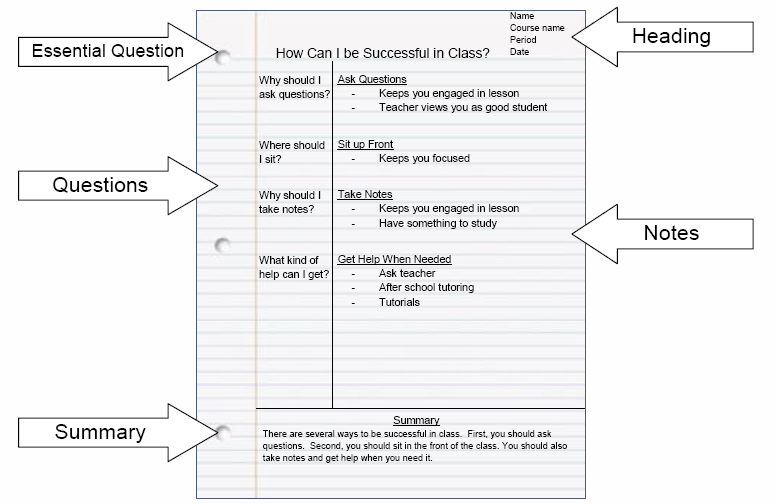
Cornell Notes are the main note-taking format used in this class. They help you organize information, process what you’re learning, and prepare for quizzes, labs, and tests.
How to use this template:
-
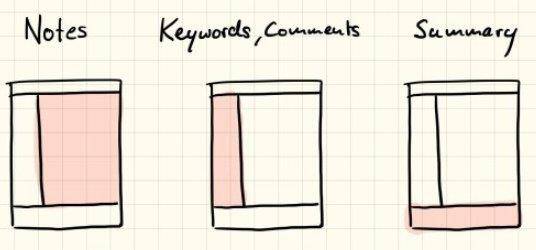
Title (Top of the Page): Clearly label the topic and date.
-
Notes Section (Right Side): Write detailed notes from lectures, readings, videos, or activities.
-
Cues / Questions (Left Side): Add key terms, questions, or prompts that help you review and study.
-
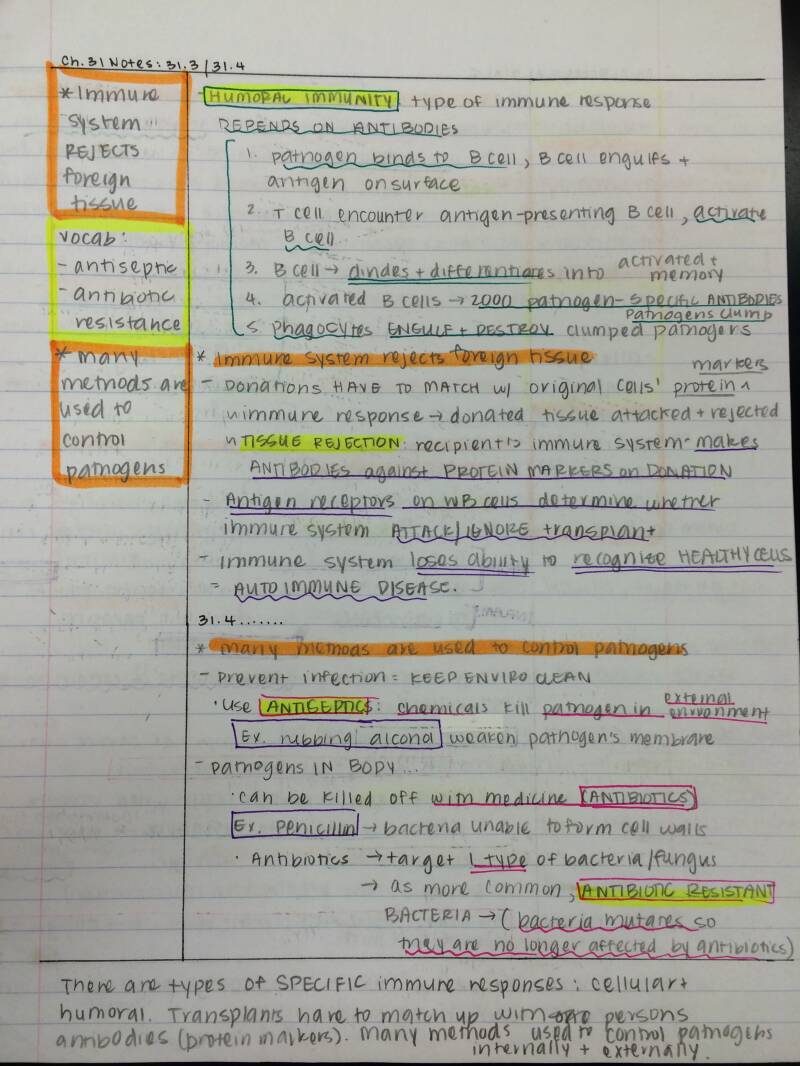
Highlights (Processing Tool): Use highlighting sparingly and intentionally. Highlight key ideas, vocabulary, or important connections—not everything. Highlighting is meant to help your brain process information, not decorate the page.
-
Summary (Bottom): Write a short summary that answers the essential questions for the lesson in your own words.
Why we use Cornell Notes:
-
They help you organize information clearly and see how ideas connect.
-
They support better understanding and stronger test preparation, not just copying notes.
ACCOMMODATION NOTE:
For students with accommodations please give them cornell notes template that already has the ques in it. They can can add the cues to their cues section that are written in their notebook
For students that have handwriting accommodations you can print add the cues and print out the template with lines and have them fill it in
CORNELL NOTES MUST BE HANDWRITTEN

Cornell Notes Outline & Example:

Create Your Own Website With Webador