Welcome to High School STREAM!
High School STREAM is an independent, project-based course designed to give students choice, ownership, and creative freedom in their learning. Students explore topics they are genuinely interested in, as long as their work connects to one or more areas of Science, Technology, Reading & Research, Engineering, Art, and Math. Each semester, students are expected to complete at least three different STREAM rotations, ensuring they experience multiple disciplines rather than repeating the same type of work. Throughout each rotation, students will document their progress through weekly work journals, reflection, and photographs, which are used for regular progress checks. At the end of every rotation, students will create a Canva infographic that showcases what they explored, created, and discovered—embedding photos, reflections, and evidence of learning. To conclude the semester, students will present their completed work, reflecting on their growth, challenges, and achievements across all rotations.

Note for Independent Art Students
A small group of students may be enrolled as Independent Art students within the STREAM program. These students will follow the same documentation, reflection, and progress expectations as STREAM students, including weekly work journals, photographs of progress, and portfolio-style reflections. However, Independent Art students are not limited to the STREAM letters and may choose to work in one artistic medium for the entire semester if they wish.
These students are required to create a digital portfolio at midterm and at the end of the semester. The amount of work included in the portfolio will vary depending on the student’s chosen medium and methods, but students must complete at least one finished work per rotation. For example, a painting student may submit one large completed painting per rotation, while a photography student should include multiple works from at least one successful photoshoot. Portfolios should clearly show progress, effort, and growth over time through finished pieces, process photos, and reflections.
Semester Schedule
The semester schedule outlines rotation timelines, major due dates, weekly expectations, and non-school days. Students are responsible for keeping track of rotation start and end dates, journal due dates, infographic deadlines, and presentation windows. Use the schedule below as your primary planning tool for the semester. CLICK BELOW TO GO TO THE SEMESTER SCHEDULE
Getting Started & Weekly Work (progress check on Thursdays).
At the start of every rotation, students are required to create one Canva poster or infographic that will be used for the entire rotation.
Setup Requirements:
-
Students must log in to Canva.com
-
Create one poster or infographic
-
Clearly title the poster with:
-
Student name
-
Rotation title
-
STREAM letter(s)
-
-
Set up daily journal sections on the poster
📌 Important:
Students will continue adding to the same Canva poster each week. By the end of the rotation, the poster should clearly show the student’s process, progress, and reflection over time.
Weekly Structure & Expectations
Students must complete a daily journal entry for each class day during the rotation. All journal responses must be written in complete sentences and meet the minimum length requirements.
Day 1 – Research & Planning
Students must spend the first day of each week researching, planning, and preparing.
Journal Focus:
Minimum: 5–6 complete sentences total
-
What topic, tool, or medium are you exploring?
-
What did you research or study today?
-
What information, techniques, or examples stood out?
-
How will this research guide your work this week?
Day 2 – Begin Hands-On Work
Students begin active creation, building, writing, or design.
Journal Focus:
Minimum: 4–5 complete sentences total
-
What did you start working on today?
-
What materials or tools did you use?
-
What went well and what did not?
-
What adjustments do you plan to make?
Remaining Days of the Rotation
Students continue working and documenting progress.
Each daily journal entry must include:
-
What I Worked On
Minimum: 1-2 complete sentences--
What specific task did you work on today?
-
What tools, materials, or techniques did you use?
-
-
What I Learned
Minimum: 1-2 complete sentences-
What new skill, concept, or idea did you learn today?
-
How did today’s work help you improve or move forward?
-
-
Challenges & Problem-Solving
Minimum: 1–2 complete sentences-
What challenges did you encounter?
-
How did you problem-solve or adapt your approach?
-
-
Next Steps
Minimum: 1 complete sentence-
What is your plan for the next workday?
-
Weekly Photo Documentation
Each week, students must include at least two progress photos on their Canva poster.
Photo requirements:
-
Photos must clearly show work in progress
-
Photos should represent different stages of the process
-
Photos must be labeled (example: “Week 2 – Progress Photo 1”)
Thursday Progress Checks
Every Thursday, students must be prepared to show their Canva poster during progress checks.
To be considered complete, students must have:
-
Daily journal entries completed for each class day
-
Journals written in complete sentences and meeting minimum length requirements
-
At least two progress photos uploaded for the week
-
A clearly organized and updated Canva poster
Progress checks are used to provide feedback, support planning, and ensure students are making consistent progress.
Independent Art Student Note
Independent Art students follow the same weekly structure and documentation expectations.
-
Students working in writing-based rotations may replace progress photos with:
-
A weekly written summary (minimum 5–6 complete sentences) explaining what was written, revised, and developed that week
-
-
Journals and reflections are still required and must meet sentence minimums
- Photo documentation
Weekly Completion Checklist
By the end of each week, students should be able to confirm:
-
☐ Daily journals completed in complete sentences
-
☐ All journal entries meet sentence minimums
-
☐ At least two progress photos or a written summary included
-
☐ Canva poster is organized and updated
-
☐ Ready for Thursday progress check
End of Rotation – What to Turn In
At the end of each rotation, students must submit one completed Canva Rotation Infographic. This infographic represents the student’s entire rotation, including daily journals, progress documentation, final outcomes, and reflection.
All written responses must be in complete sentences and meet the minimum length requirements.
1. Rotation Overview
What it is:
A brief explanation of the focus and purpose of the rotation.
Minimum: 4–5 complete sentences
Students must explain:
-
The focus of the rotation
-
The STREAM letter(s) connected to the rotation
-
Why this rotation was chosen
-
The main goal of the rotation
2. Daily Journals (Embedded)
What it is:
Day-by-day documentation of work completed during the rotation.
Required: All daily journal entries from the rotation
Students must:
-
Include daily journal entries for every class day
-
Write in complete sentences
-
Meet the daily sentence minimums outlined in Section 1
-
Clearly label entries by date or week
Daily journals should show:
-
Consistent effort
-
Ongoing progress
-
Planning, problem-solving, and reflection
3. Rotation Process Summary
What it is:
A summary reflection, written at the end of the rotation, looking back across time.
Minimum: 4–5 complete sentences
Students must explain:
-
How the project developed from the beginning to the end of the rotation
-
How research, planning, and hands-on work connected over time
-
How feedback from weekly progress checks influenced their work
-
How time, effort, and organization were managed
This section focuses on patterns, progress, and growth, not daily details.
4. Learning & Skill Development
What it is:
An explanation of the skills, tools, and techniques gained during the rotation.
Minimum: 4–5 complete sentences
Students must describe:
-
New skills, tools, or techniques learned
-
How those skills improved over time
-
What required practice, revision, or persistence
5. Challenges & Problem-Solving
What it is:
A reflection on obstacles faced and how they were addressed.
Minimum: 3–4 complete sentences
Students must explain:
-
Specific challenges encountered
-
How problems were solved or approaches were adjusted
-
What strategies helped move the project forward
6. Progress Documentation
What it is:
Visual or written evidence showing how the work progressed over time.
Minimum: 4–6 labeled progress photos
Requirements:
-
Photos must show clear progress from early work to later stages
-
Photos must be labeled by week or stage
-
Documentation must support written reflections
7. Final Product or Outcome
What it is:
A description of the completed work or outcome of the rotation.
Minimum: 3–4 complete sentences
Students must describe:
-
What was created or completed
-
How the final outcome compares to the original plan
-
What they are most proud of
8. Reflection & Next Steps
What it is:
A thoughtful reflection on learning and future growth.
Minimum: 4–5 complete sentences
Students must reflect on:
-
What they learned about themselves as a learner
-
What they would improve in a future rotation
-
How this rotation will influence future rotation choices
Independent Art Student Note
Independent Art students follow the same end-of-rotation expectations.
-
Writing-based rotations may replace photo documentation with:
-
Draft excerpts, planning documents, or screenshots
-
A process summary (minimum 5–6 complete sentences) explaining progress over time
-
-
Daily journals are still required and must meet sentence minimums
Day Before the Rotation Is Due – Final Preparation
The final class day should be used to:
-
☐ Confirm all daily journals are included and complete
-
☐ Revise writing for clarity and sentence minimums
-
☐ Organize and label all photos or documentation
-
☐ Ensure all required sections are present
-
☐ Finalize layout and readability of the Canva infographic
Submission Expectations
-
Canva infographic must be complete, organized, and polished
-
All required sections, including daily journals, must be included
-
Writing must be clear, thoughtful, and professional
-
Incomplete work may affect the final score
Midterm & End-of-Term Portfolio Presentations
Midterm and end-of-term portfolio presentations allow students to share their learning, reflect on growth, and explain the thinking and process behind their work across rotations.
Students may use PowerPoint or Canva to create and present their portfolios.
1. Portfolio Overview
What it is:
A brief introduction to the full portfolio and the rotations completed during the term.
Minimum: 3–4 complete sentences
Students must explain:
-
How many rotations were completed
-
Which STREAM letters were explored
-
The overall focus of their learning during the term
2. Rotation-by-Rotation Portfolio Review
What it is:
A structured walkthrough of each completed rotation.
Required: All rotations must be included
For each rotation, students must:
-
Present the completed rotation infographic or poster
-
Briefly explain:
-
The rotation focus
-
The STREAM letter(s) connected
-
What was created or explored
-
3. Process & Growth Across Rotations
What it is:
A reflection on how skills, habits, and thinking developed over time.
Minimum: 4–5 complete sentences
Students must reflect on:
-
How their skills improved from one rotation to the next
-
How planning, documentation, and time management evolved
-
How feedback from progress checks influenced later work
4. Challenges & Problem-Solving Over Time
What it is:
A comparison of challenges faced across multiple rotations.
Minimum: 3–4 complete sentences
Students must explain:
-
Common challenges encountered in different rotations
-
How problem-solving strategies improved over time
-
How they adapted to more complex or unfamiliar tasks
5. Portfolio Completion & Evidence of Effort
What it is:
A summary of the work included and the effort demonstrated across the term.
Minimum: 3–4 complete sentences
Students must describe:
-
How daily journals, photos, and infographics show consistent effort
-
How documentation supports the learning presented
-
How their portfolio demonstrates responsibility and follow-through
6. Reflection & Future Goals
What it is:
A forward-looking reflection connecting this term’s work to future learning.
Minimum: 4–5 complete sentences
Students must reflect on:
-
What they are most proud of across all rotations
-
Which skills they want to continue developing
-
How future rotations or projects will build on this experience
Independent Art Student Note
Independent Art students follow the same portfolio presentation structure.
-
All rotations must be presented, even if students remained in one medium
-
Presentations should emphasize growth, refinement, and process over time
-
Writing-based rotations may use summaries or excerpts instead of visual work when appropriate
Presentation Expectations
-
Students must be prepared to discuss each rotation clearly and confidently
-
Presentations may be created in PowerPoint or Canva
-
Visuals should be organized, readable, and professional
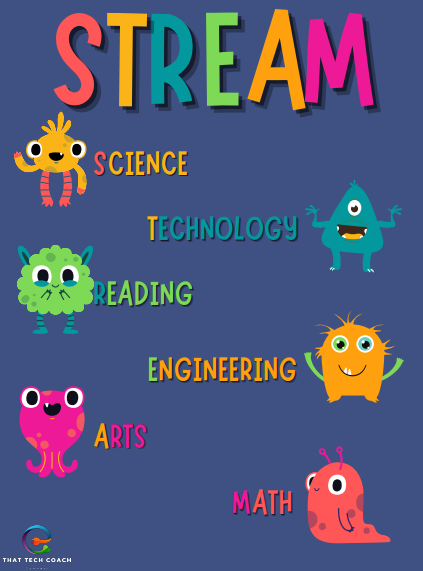
Getting Started With a Rotation
Each rotation follows the same structure to help you stay organized and successful. The first day of the new rotation should be spent planning .
Step 1: Choose Your Rotation
-
Select a rotation that fits one or more STREAM letters
-
You may not repeat the same type of rotation multiple times in a semester (STREAM students)
-
Independent Art students may continue in one medium if approved
Step 2: Define Your Focus
-
Clearly describe:
-
What you are making, building, researching, or creating
-
Why this rotation interests you
-
Which STREAM letter(s) it connects to (if applicable)
-
Step 3: Plan Your Work
-
Decide:
-
What tools or materials you will need
-
What success will look like by the end of the rotation
-
How you will manage your time across weeks
-
Step 4: Set Documentation Expectations
-
Commit to:
-
Weekly work journal entries
-
Taking photos throughout the process (not just at the end)
-
Saving all work and progress images for your final infographic
-
Step 5: Begin Creating
-
Start working immediately
-
Focus on consistent progress rather than rushing to finish
STREAM Rotation Options & Ideas
S – Science
Focus on materials, reactions, and chemistry-based creativity
-
Resin Art – Explore how resin cures, layering techniques, color mixing
-
Nails – Study polish types, layering, adhesion, and design chemistry
-
Heat Press – Temperature, material compatibility, and transfer science
-
Optional: Add science journaling or reflection on chemical reactions
T – Technology
Explore tools, software, and digital creation
-
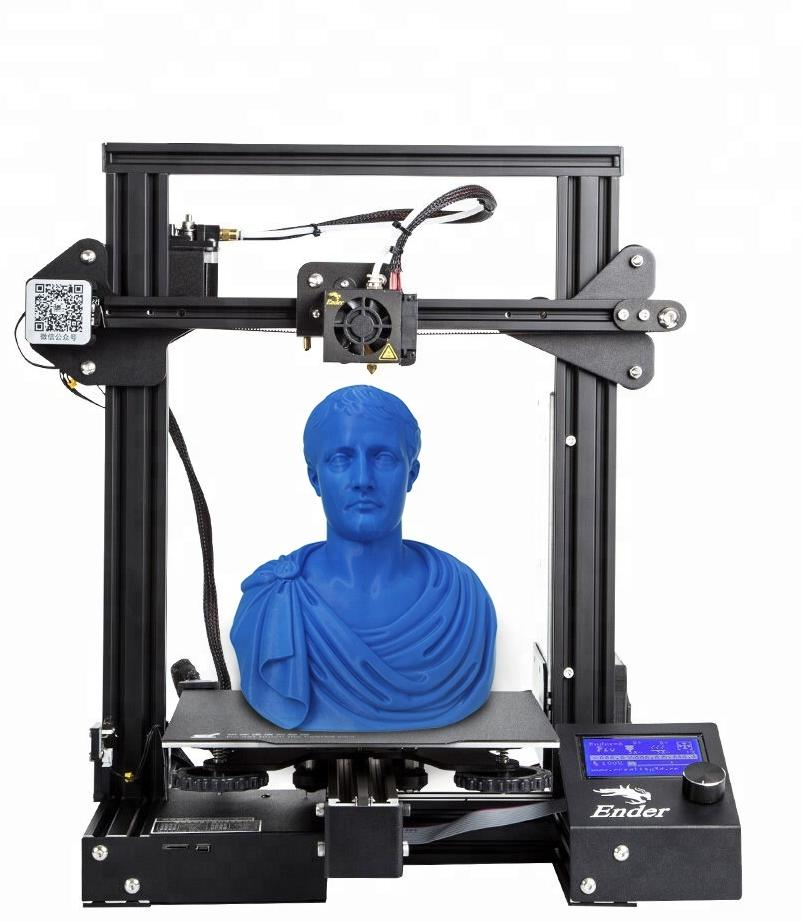
3D Printing – CAD design, slicing software, and hardware setup
-
Cricut Design – Vector design and machine control
-
Game Development – Intro to engines like Scratch, MakeCode Arcade
-
Stop Motion / Animation – Use drawing tablets or apps for motion media
R – Reading
Build literacy, planning, and storytelling into STREAM
-
Visual Journals – Reflections, vocabulary, storyboarding
-
Children’s Book Creation – Write and illustrate an original story
-
Game Narrative Writing – Build a plot or character backstory
-
Artist Statements – Research artists or techniques and write about your process
-
Optional: Book-based projects, presentations, or literature-inspired designs
E – Engineering
Design, build, and problem-solve with physical tools
-
Woodworking – Measure, cut, assemble based on blueprints
-
Tools & Fix-it – Repair small items or complete design tasks
-
Jewelry Making – Mechanical assembly, wire structure, clasp design
-
Sewing / Crochet – Stitch pattern engineering and structural design
A – Art
Express ideas through visual, wearable, or decorative art
-
Painting – Composition, layering, and original pieces
-
Digital Art – Create characters, illustrations, or pixel art
-
Shirt Design (Heat Press) – Wearable art and design planning
-
Crochet / Jewelry – Applied design and functional art
M – Math
Logic, patterns, and measurements that support hands-on work
-
Game Development – Variables, points, logic trees
-
Crochet – Stitch counts, patterns, symmetry
-
Woodworking – Measuring, cutting angles, and size planning
-
3D Printing – Dimensions, scaling, and modeling accuracy
Create Your Own Website With Webador